

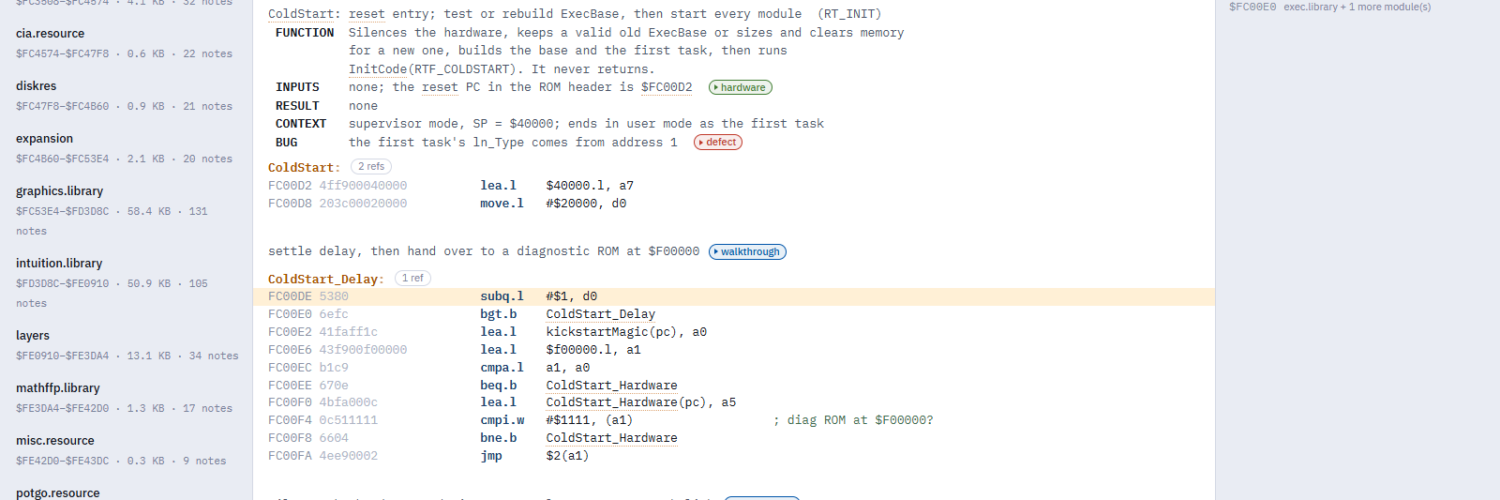
The Kick13 Explorer is an interactive, annotated disassembly of the Amiga Kickstart 1.3 ROM (version 34.5), the ROM inside most Amiga 500s and 2000s. Every resident module, from exec.library through trackdisk.device to the dos.library handlers, is disassembled, labelled and commented. There are 1,097 companion notes explaining how it works and where it goes wrong. It runs in your browser, with nothing to install.
Beta: the annotations are still being checked. If something looks wrong, every note has a report button.
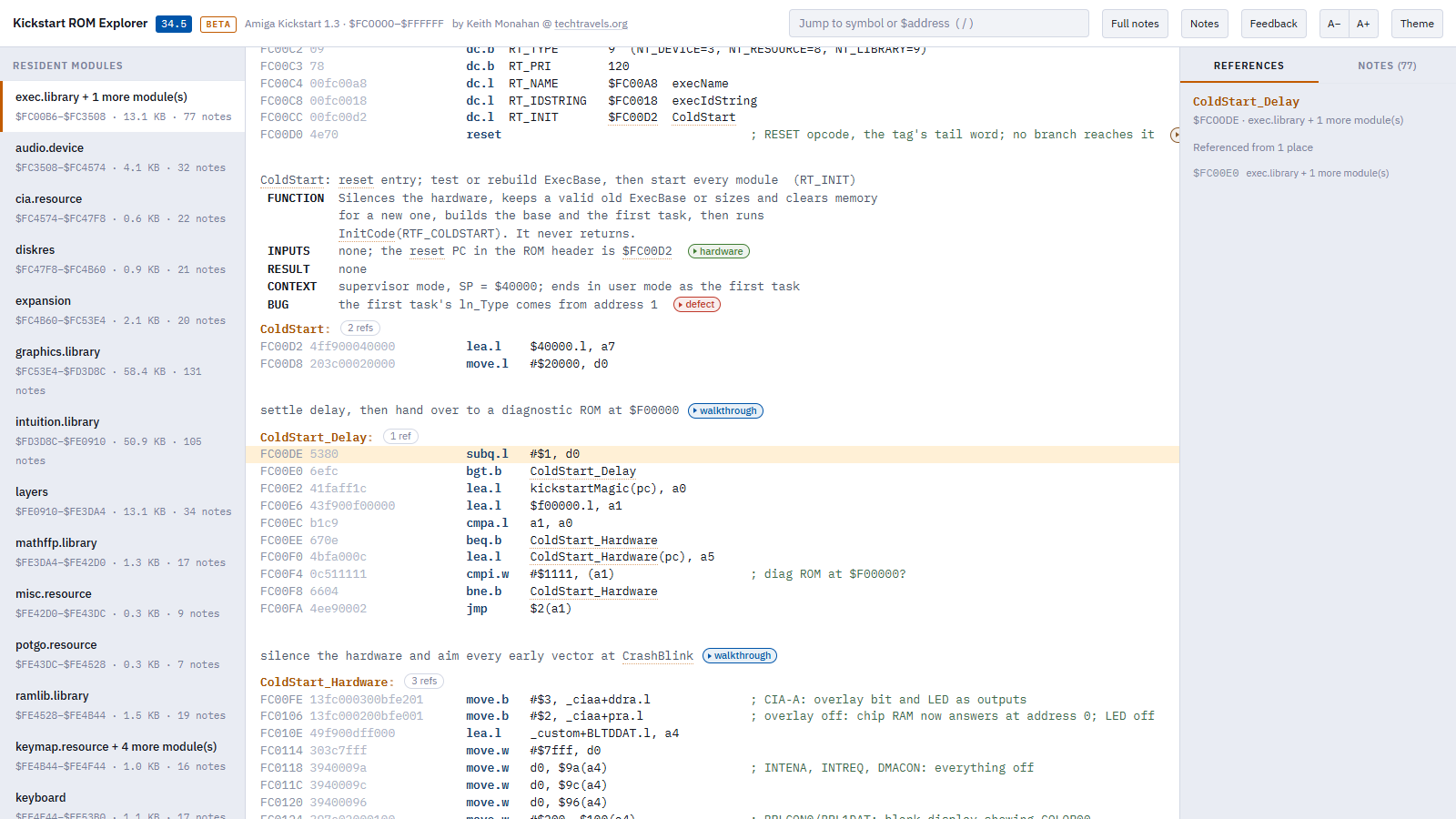
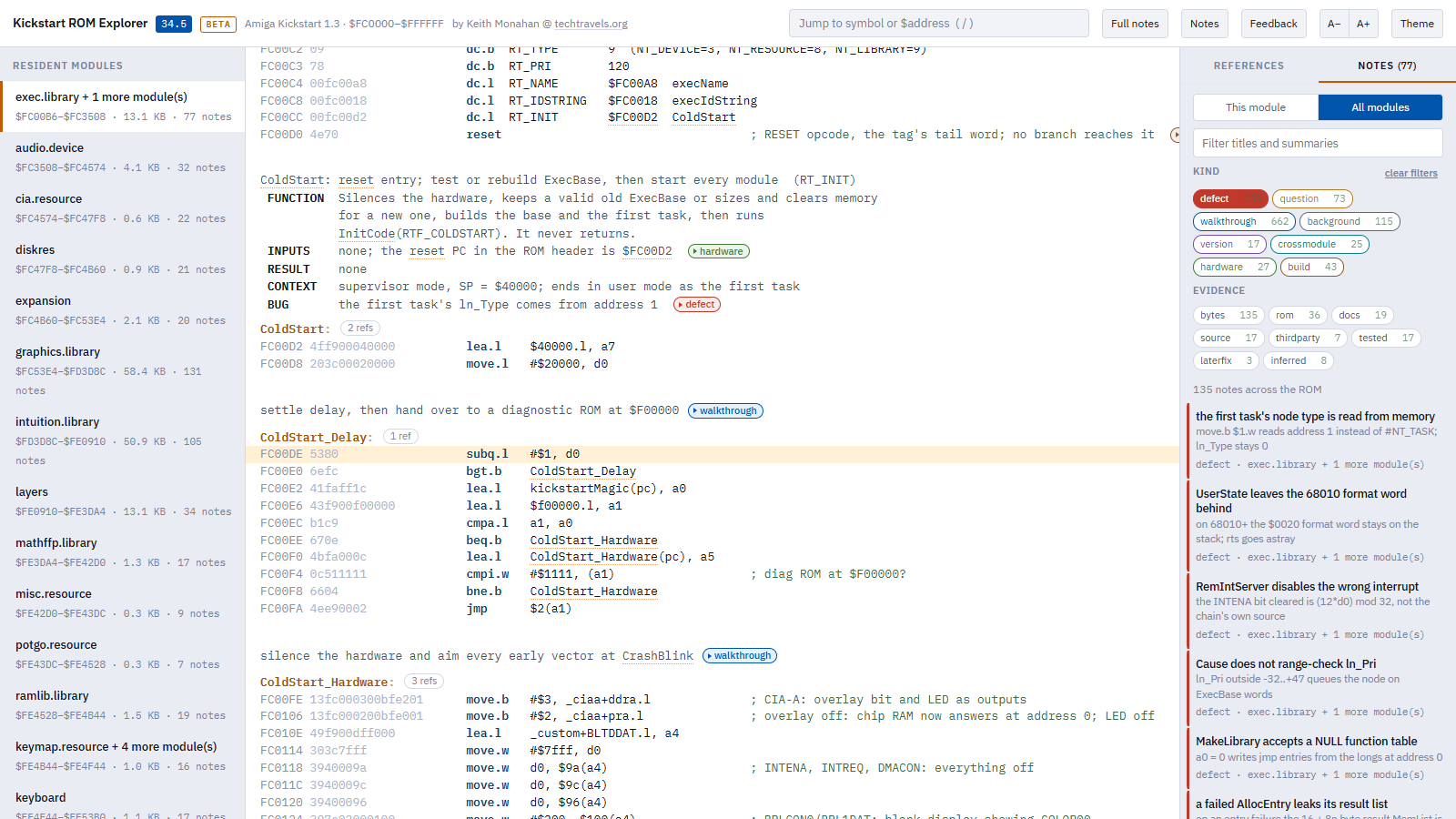
ColdStart, in exec.library. Modules on the left, the annotated listing in the middle, references on the right.What’s in it
- The whole 256 KB ROM,
$FC0000–$FFFFFF: every resident module in 30 listings, 102,807 lines in all - 3,566 named symbols, with library calls resolved to their names (
jsr -$C6(a6)reads asAllocMem) - Cross-references for 8,380 addresses: every place in the ROM that refers to each one
- A comment block above every routine, with FUNCTION, INPUTS, RESULT and CONTEXT fields, plus BUG where there is one
- 1,097 notes: 662 walkthroughs, 135 defects, 115 background, 73 open questions, 43 on how the ROM was built, 27 on hardware, 25 on how modules work together and 17 on differences between versions
Features
- Everything is a link. Every symbol and ROM address is clickable, in the code and in the comments. Follow one, even into another module, and the right-hand panel lists every place in the ROM that refers to it. A routine’s refs badge lists them without leaving the page.
- Jump box. Press /, then type a routine name or an address (
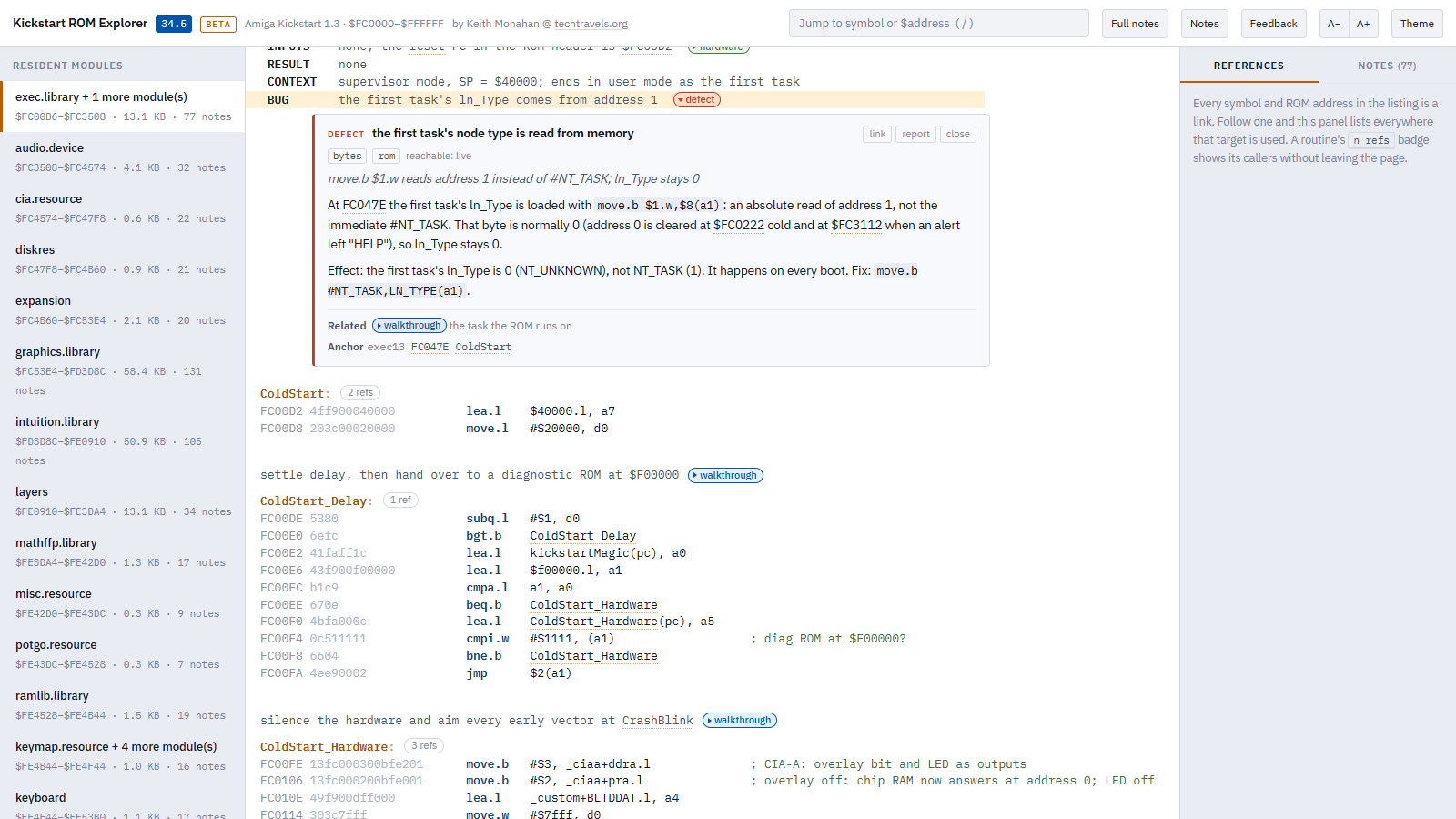
FC00DE,$FC00DE) and press Enter. - Notes in place. Small coloured chips in the listing mark the notes. Click one and the note opens right under that line, with its evidence, the full write-up, related notes and sources.
- Notes panel. Browse and filter the notes for one module or the whole ROM, by kind, by evidence or by text. Filters are part of the URL, so “every defect in the ROM” is a link you can share.
- Full notes. One switch opens every note in place, for reading a module straight through.
- Deep links. The address bar always holds where you are, so you can link to any routine or note. Back and Forward work as you’d expect.
- Comfortable to read. Light and dark themes, adjustable text size (A−/A+ or the - and + keys), and a layout that works on a phone.
- Private. No cookies and no analytics. The only thing it stores is your theme and text-size choice, in your own browser.
How to read a note
Every note has a kind: walkthrough, defect, background, question, build, hardware, crossmodule or version. Each note also has one or more evidence tags saying what its claims rest on:
| Tag | Meaning |
|---|---|
bytes | Follows from the module’s own instructions and data |
rom | Follows from code or data elsewhere in the ROM, cited by address |
docs | Stated in Commodore’s documentation (ROM Kernel Reference Manuals, autodocs, Hardware Reference Manual, include files) |
source | Taken from a source listing rather than the ROM itself, so it can’t be checked against these bytes |
tested | Reproduced by running the code |
laterfix | Inferred because a later Kickstart changed this code |
inferred | Reasoned, but not confirmed by any of the above |
Defects are possible bugs in Commodore’s original ROM code, not in this analysis or the Explorer. Each one also says whether it can actually happen: live (it happens in normal use), edge case (only with unusual input or hardware), latent (wrong, but nothing triggers it) or dead code.
Where a note draws on outside material, such as Commodore’s documentation or earlier published work, its sources are listed at the bottom of the note.
Places to start
- ColdStart: the first instruction after reset, and how the machine comes up
- AllocMem: exec’s memory allocator
- trackdisk.device: the floppy driver, from its resident tag down
- Every defect in the ROM
Feedback
Found something wrong, or know something the notes don’t? Use the report button on a note, or Feedback in the Explorer’s header. Either one opens an e-mail with the module, address and a link already filled in.
Changes
- October 2026: first public beta. See the announcement.

Add comment