

 keith
keith
For at least the first few years I had my Amiga 500, Kickstart 1.3 was my OS version of choice. I’m not sure I chose it, per se, because it simply came this way, but it is still my go-to for use in emulators, mainly because of its compatibility with games and most Amiga software.
There was some time when I was mkick’ing 2.05 and then later 3.1, although I’m not sure I ever really understood what was supposed to be compatible. I still don’t. It didn’t help that I believe my Amiga 500 motherboard was a revision 5, which needed some tweak or change to ensure compatibility. I bought some upgraded, officially licensed Kickstart ROMs but haven’t bothered to install them yet. They’ve been sitting in the AmigaStore.eu box they arrived in, years ago.
So Kickstart 1.3 is where my fascination lies, and while I’ve been doing research on Paula and trackdisk, it was only natural to want to tear Kickstart apart to further understand things. Since I was doing this work anyway, I’ve decided to publish it in a usable way.
This is still new, this is still beta, and I have no idea if people will like it, think it’s useful, etc.
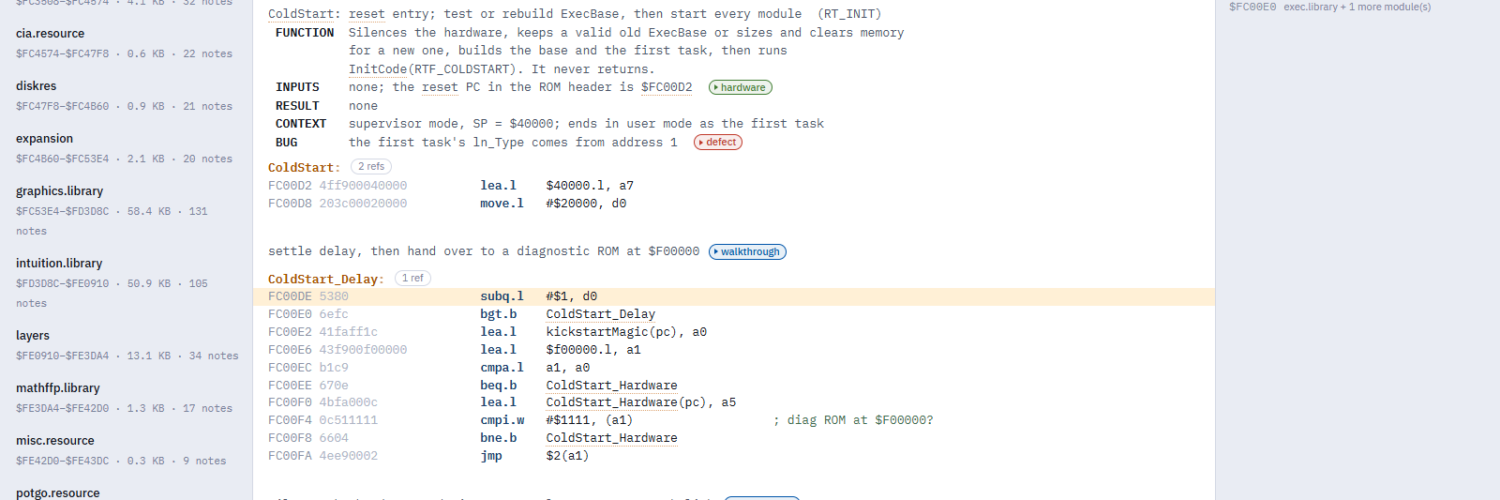
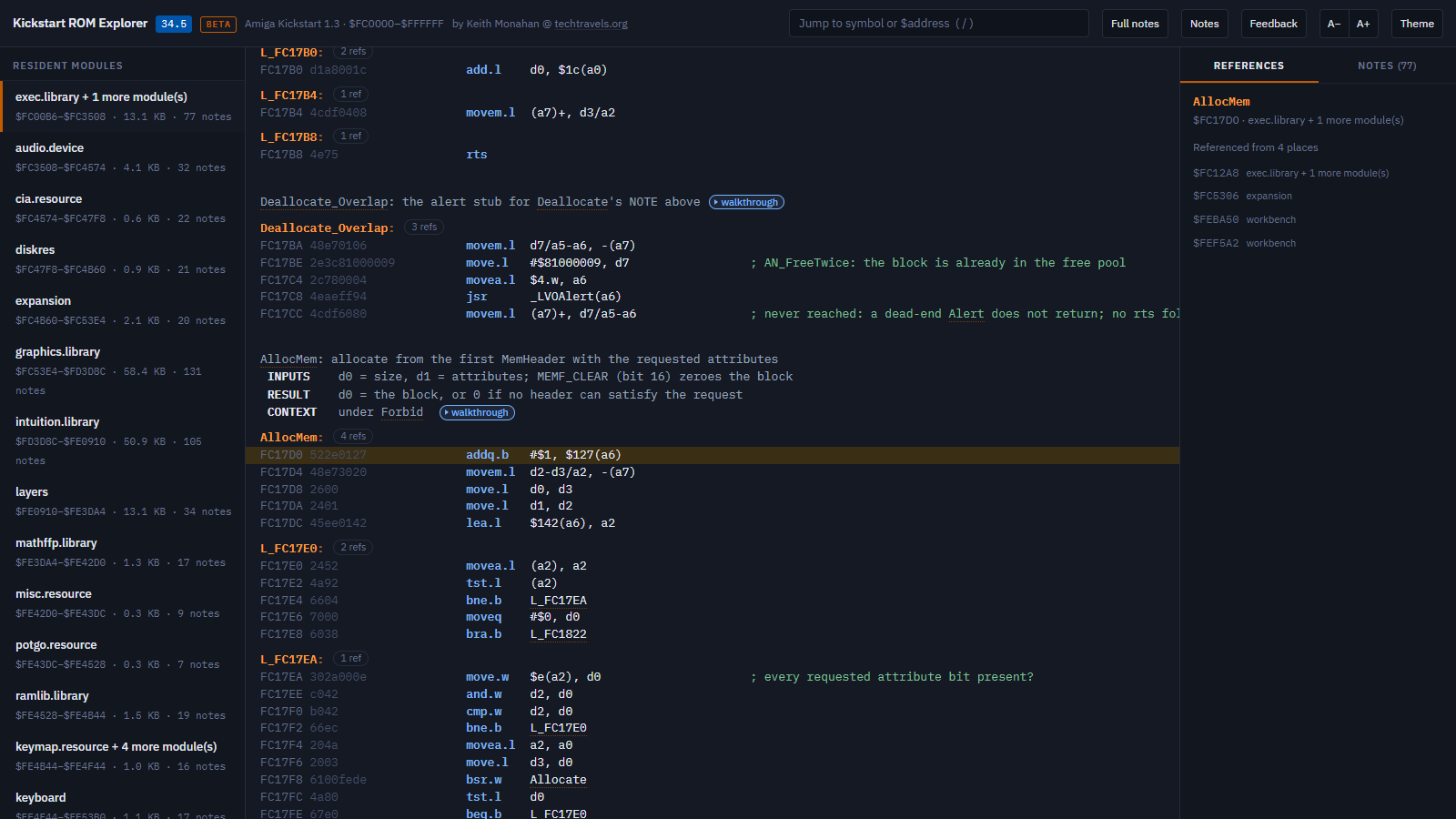
Today I’m releasing the Kick13 Explorer: the complete Amiga Kickstart 1.3 ROM (34.5), disassembled, named, commented and annotated, in a viewer that runs in your browser.
The method to my madness in how I accomplished the below:
- I used Claude, ChatGPT, and other AI tools to assist with the analysis, validation, and organization of results, making the project practical to complete in a reasonable time frame. Those tools used a range of publicly available reference materials, including technical documentation, source code, ROM kernel manuals, and existing disassemblies, to help establish context.
- I used the Capstone decoding library because of its native 68K support and Python bindings. I love Python and naturally gravitate towards it in all my projects. Capstone has some problems, which I needed to work around.
- I used Musashi, a 68000 CPU emulator, to run individual ROM routines in isolation, confirming their behavior during actual execution, not just my assumptions about how they worked.
- I used multiple models to verify that the block comments are accurate, including the notes. It’s hard to know how much verification is the right amount, because every pass turns up SOMETHING.
What went into it
Kickstart 1.3 is 256 KB of 68000 code and data, mapped at $FC0000–$FFFFFF. It holds every resident module the machine needs to start: exec, graphics, intuition, layers, the devices (audio, trackdisk, timer, keyboard, console, input) and dos.library, which was largely compiled from BCPL and doesn’t follow the usual calling conventions at all.
- Disassembled all of it. Every module was decoded and code separated from data: resident tags, function tables, strings, BCPL string tables and segment headers. dos.library needed its own handling, because its routines are called through a pair of trampolines with a register holding the current routine’s base.
- Named everything. That’s 3,566 symbols. Library calls are resolved from whichever base each register holds, so
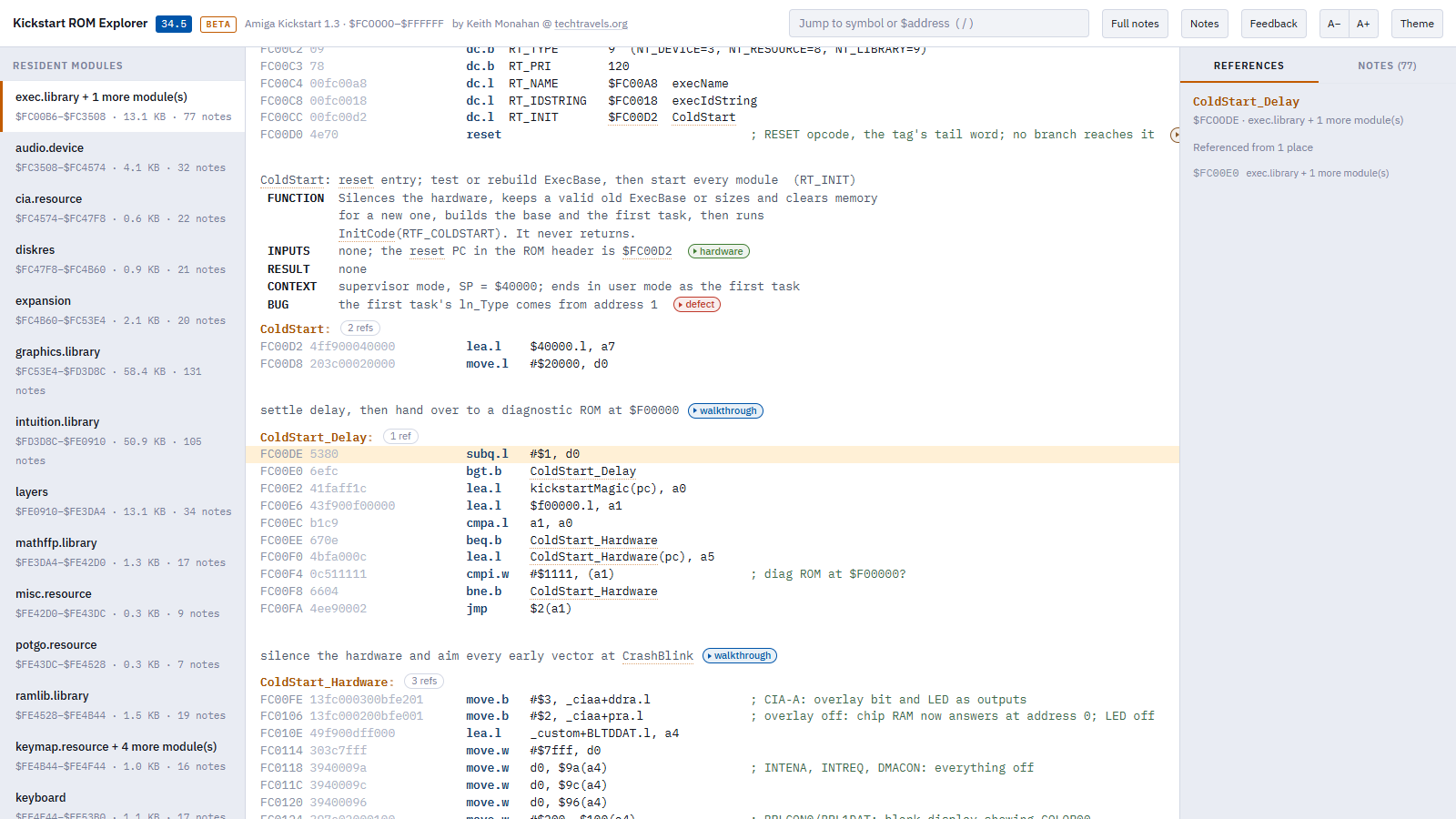
jsr -$C6(a6)reads asAllocMem, and references between modules resolve to names too. - Commented every routine. No routine in the ROM is left without a comment. Each has a header block (FUNCTION, INPUTS, RESULT, CONTEXT, and BUG where it has one), with line comments where the code needs them.
- Wrote 1,097 notes. Walkthroughs of how things work, defects, hardware detail, history and open questions. Each note says what it rests on: the ROM bytes, Commodore’s documentation, earlier published work, or a test run. 71 notes were confirmed by running the code.
- Built the Explorer. It’s a static web app: one page plus data, no server code and no database. Every symbol and address is a link, and every place is a URL.
Possible bugs in the original ROM
Reading every routine this closely is bound to turn up bugs in Commodore’s original code. To be clear, these are possible bugs in the 1.3 ROM itself, not in this analysis or the Explorer. The notes record 135 of them, each with whether it can actually happen: 23 are live (they happen in normal use), 86 are edge cases, 24 are latent and 2 sit in dead code.
This was REALLY not the focus of this effort, and I have NOT spent time reviewing or independently verifying each of these potential defects. They are simply a side effect of running the analysis. Some were likely fixed in subsequent versions and may be of limited value today. I’m including them primarily because they came “free” as part of the process.
Using it
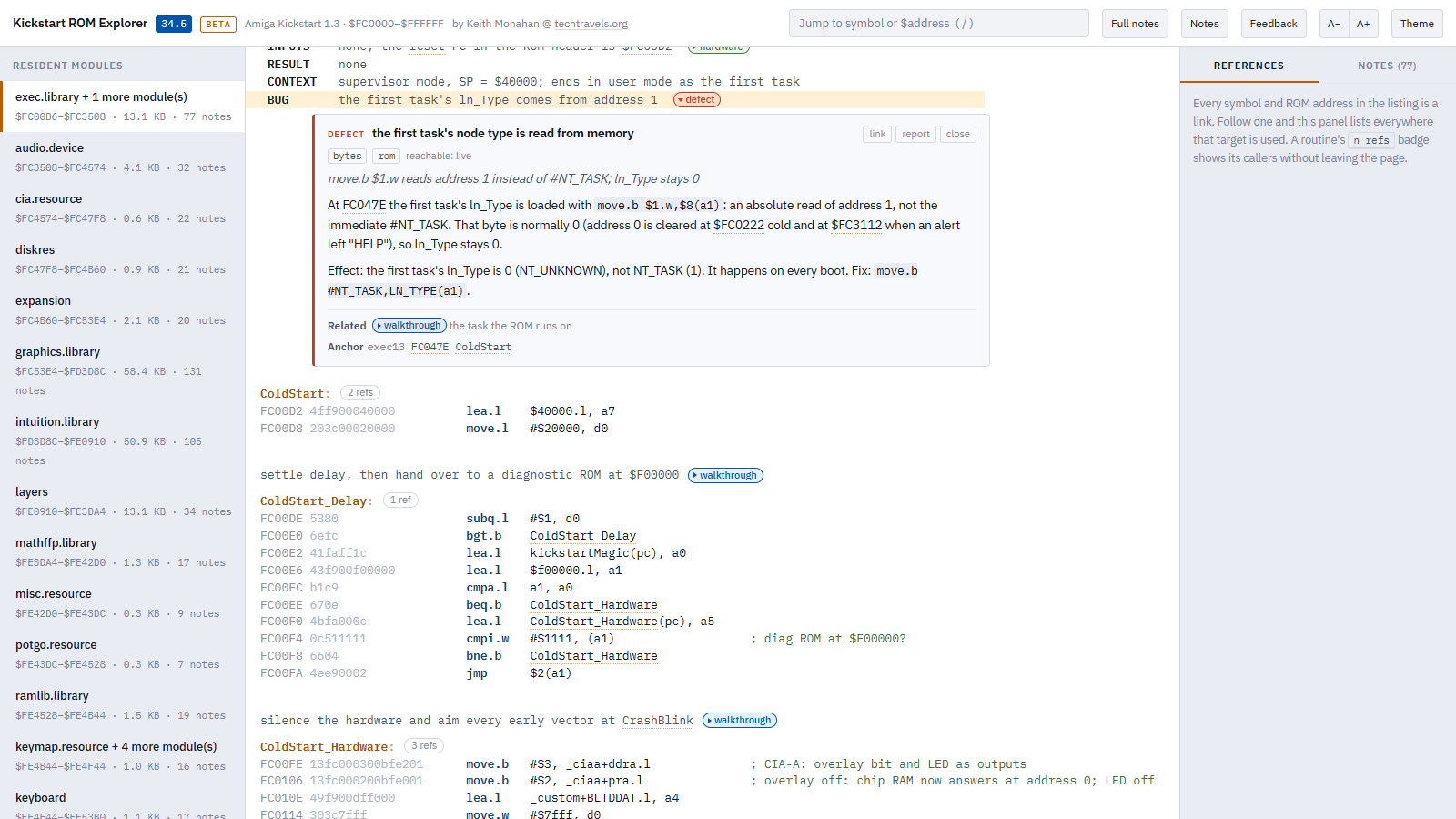
- Click any symbol or address to go there. The right-hand panel lists every place in the ROM that refers to it.
- Press / to jump to a routine name or address.
- Click a coloured chip to open its note, or use the Notes tab to browse and filter them all.
- Full notes opens every note at once; A−/A+ changes the text size; Theme switches between light and dark.
- The URL always points at where you are, so copy it to share a routine or a note.
The Kick13 Explorer page has the full feature list and an explanation of the note tags. It’s also in the menu at the top of the site.
It’s a beta, so tell me what’s wrong
The annotations have had multiple passes but, as mentioned above, they could still contain mistakes. Some of them are open questions. If you know the answer to one, or spot something wrong, press report on the note. It opens an e-mail with the module, address and a link already filled in. Comments here are welcome too.
I hope someone finds this useful. As with most of what I publish, I figure if I’ve spent the time to do this for my purposes, I may as well share it so that someone else may benefit. YMMV.


Add comment